Meet morning, from your phone.
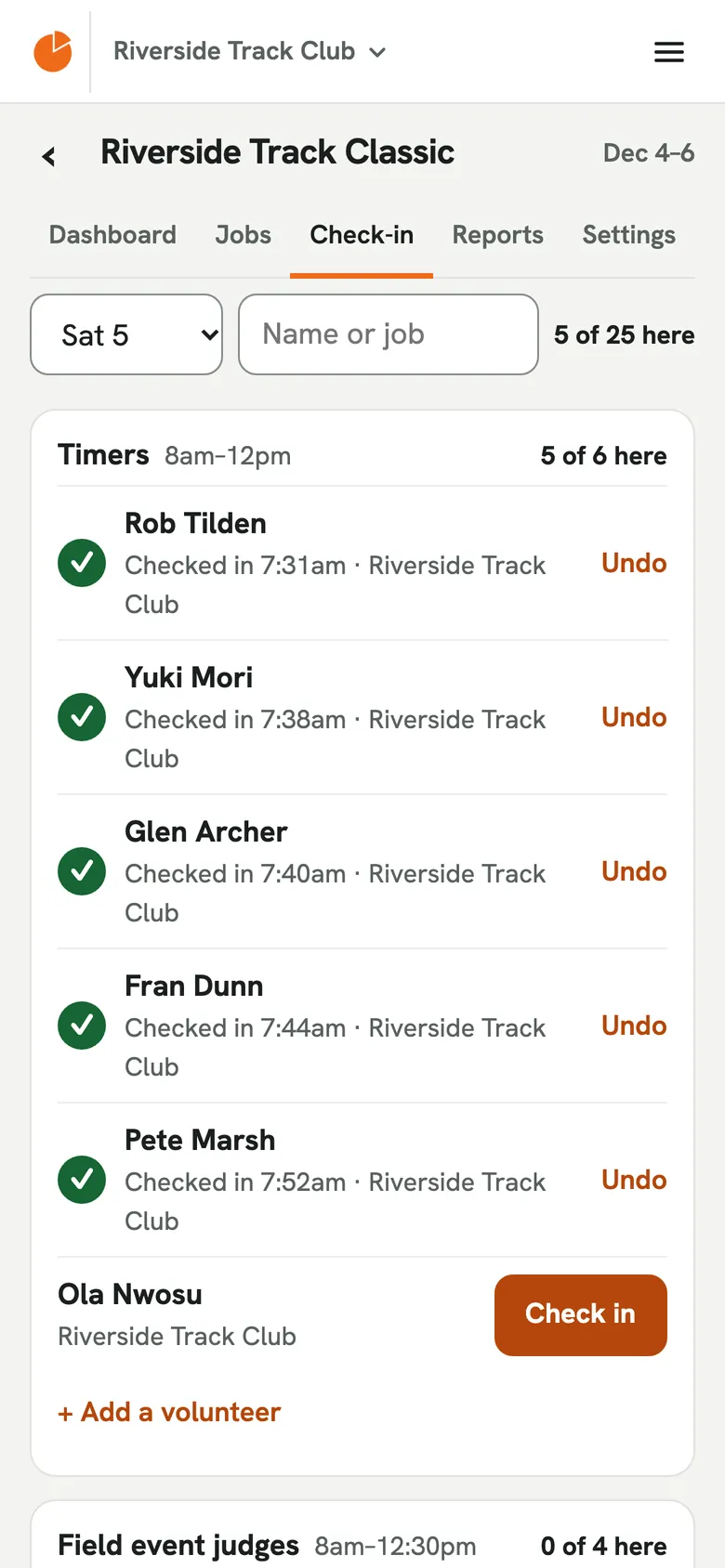
Open Check-in and tap each person as they arrive. Add the parent who just showed up to help. When the shift ends, hours are credited, and there’s no clipboard to type up on Monday.
Free to start · No credit card · First event live today
- 1 tapper person, with the time they arrived
- Walk-insadded on the spot, even when a shift is full
- Printableday sheets for a stadium with spotty signal
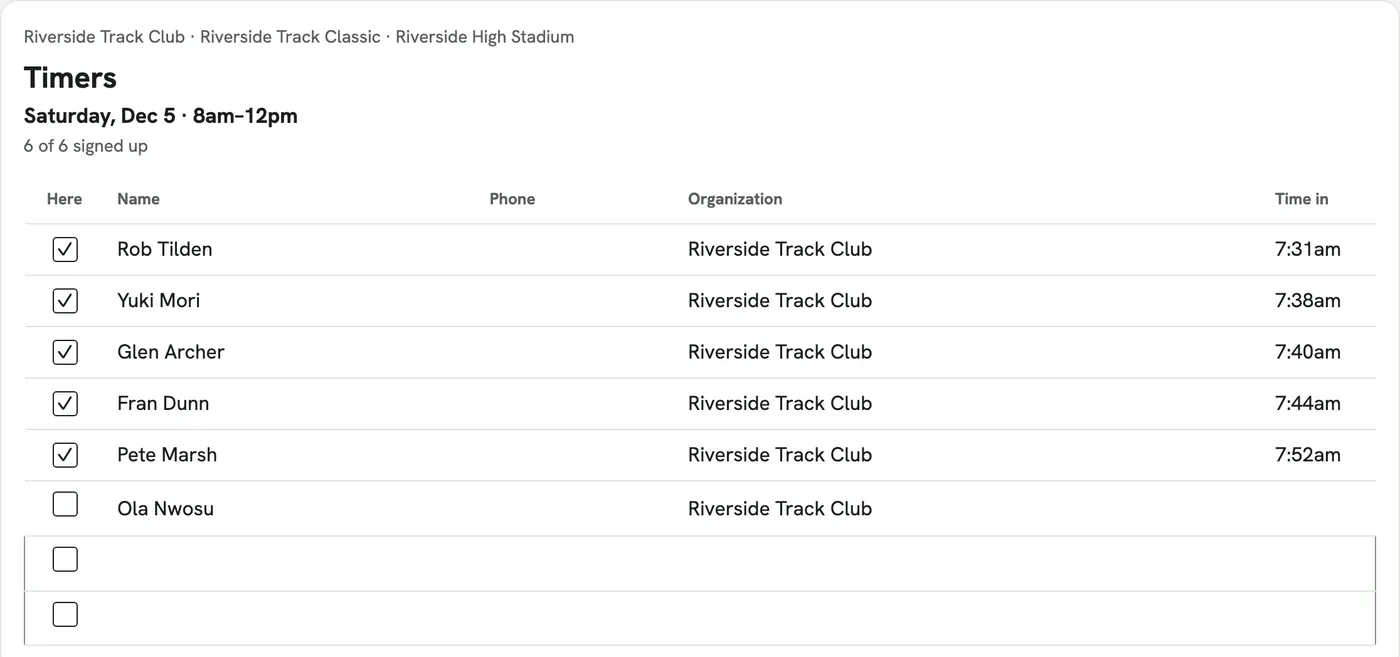
No signal at the venue? Print the day sheets.
- One page per shift, with a Here box for each person
- Names, phone numbers, club and a Time in column
- Anyone already checked in prints with their time
- Enter the ticks later on Check-in, and hours adjust
How hours get counted.
Check-in is optional. Use it on the shifts where you want it.
| On a shift where | What happens | When the shift ends |
|---|---|---|
| Nobody uses check-in | Everyone is assumed there unless you mark a no-show | Hours credited to each volunteer and their family |
| You check people in | Checked-in people are counted | Anyone not checked in waits for you: Was here or No-show |
| It ran long | Edit the shift’s actual times | Everyone’s hours update with a correction, nothing erased |
Questions clubs ask
Something else? Ask us. A person answers.
Do volunteers have to scan a QR code or download an app to check in?
No. The coordinator or job lead taps each person in on their own phone. Volunteers don’t install anything.
Can I check in someone who didn’t sign up?
Yes. Add a walk-in from the shift, by name and email, even if the shift is already full. Their hours count like everyone else’s.
Does check-in work without internet?
There’s no offline mode. Print the day sheets before you go, tick people off on paper, and enter the ticks later; hours adjust.
Do I have to use check-in?
No. By default, a shift counts for everyone on it when it ends, unless you mark a no-show.
What if a shift runs longer than planned?
Edit the actual times for the shift or the whole job that day, for everyone or just the people who stayed. OrangeSlice adds a correcting entry for each person.
Your first event can be live today.
Name it, pick the days, add a few jobs and share one link. OrangeSlice handles the reminders, the waitlist and the hours.