A sign-up sheet parents finish in a minute.
Parents open one link, tap every shift they can do, then type a name and email. That's it. The confirmation has a private link to change or drop, so swaps don't run through you.
Free to start · No credit card · First event live today
- <1 minto sign up for three shifts on a phone
- No loginno account, password or code to sign up
- No adsnext to your club’s name, ever
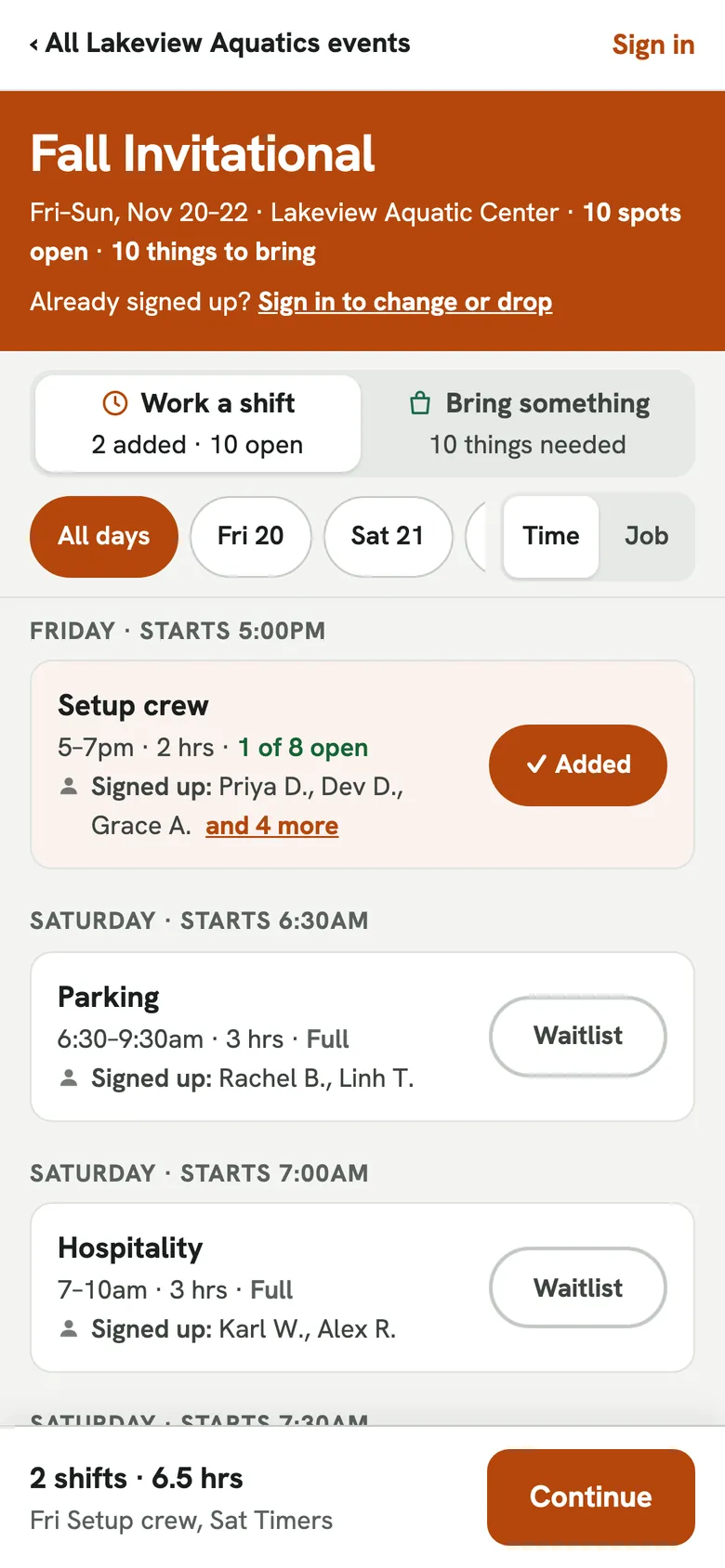
Three screens, start to finish.
Built for a parent standing in a parking lot with one free hand.
-
1Tap the shiftsAs many as they like, across every day. Overlaps are caught for them.
-
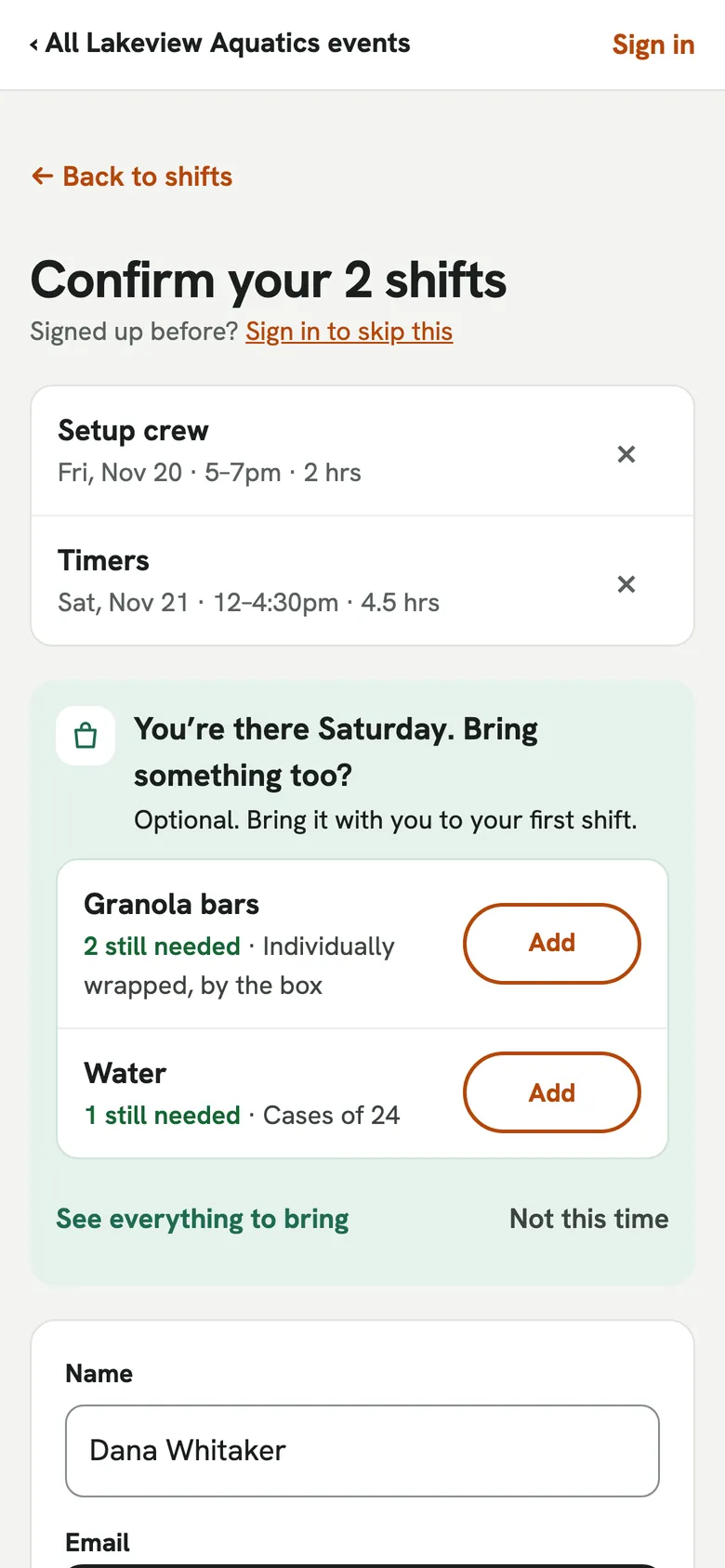
2Name and emailReturning parents are filled in. Nothing to verify.
-
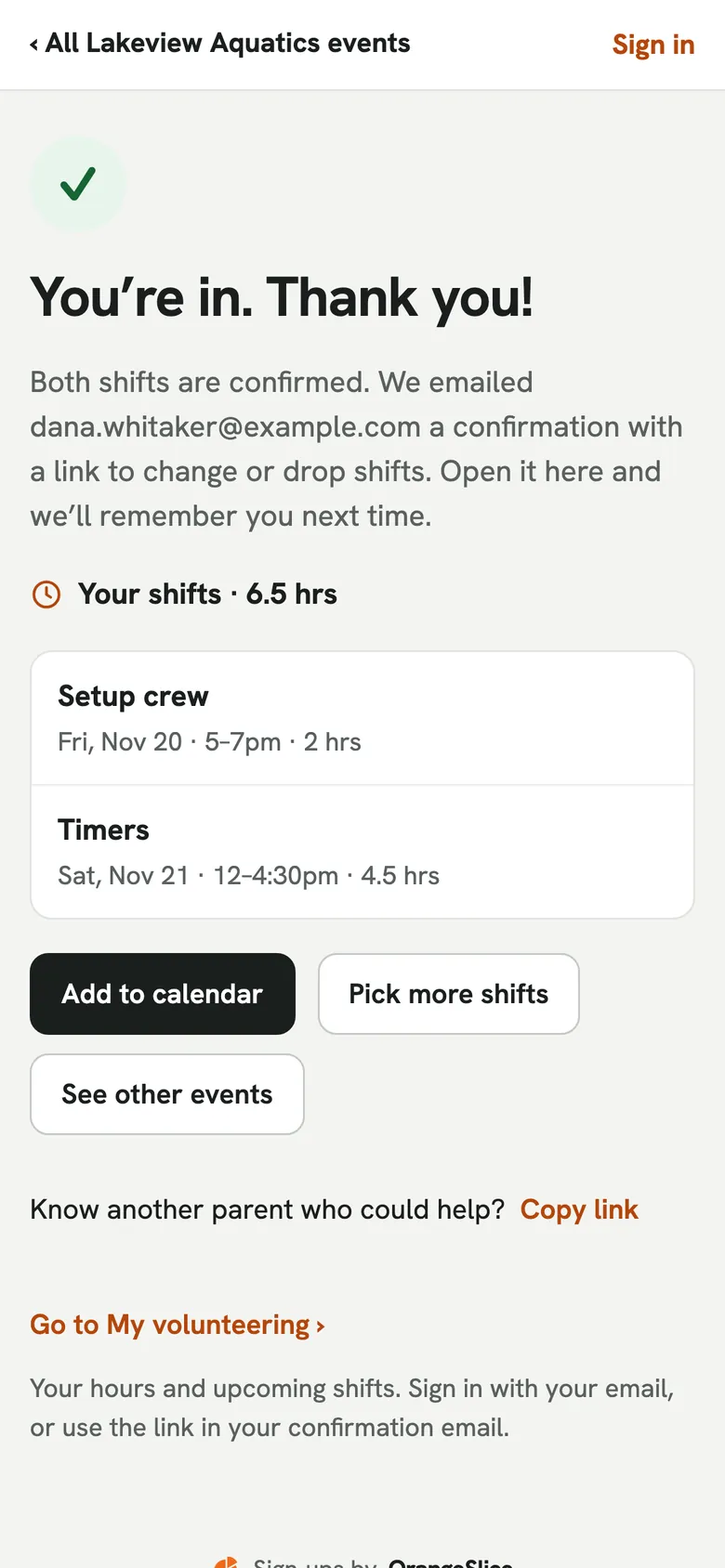
3DoneConfirmation, calendar links and a change link land in their inbox.
What parents never have to do.
- Create an account
- Download an app
- Remember a password
- Type a verification code
- Scroll past ads
- Text you to swap a shift
The small things that save you messages.
Waitlists that move up
When a shift is full, parents join the waitlist. If a spot opens, the next person gets it and an email saying so.
No double-booking
A parent can’t take two shifts at the same time. The page says which shift overlaps and why.
Change or drop any time
Every confirmation has a private link to drop or switch times. A late drop alerts you and offers the parent another open shift.
Straight to their calendar
Google, Outlook, Apple and others, one tap from the done screen or the email.
Hours, right as they pick
If your club asks families for hours, parents see how many they still need as they choose.
Anyone can help
Grandparents, alumni and families from visiting clubs sign up the same way. Only your own families are asked which athlete it counts for.
Questions clubs ask
Something else? Ask us. A person answers.
Do volunteers need an account to sign up?
No. They pick shifts and give a name and email. There’s no password, app or verification code. Their confirmation email has a private link to change or drop shifts later.
Can a parent sign up for several shifts at once?
Yes. They tap Add on every shift they want, across every day of the event, and confirm once. One email lists them all.
What happens when a shift is full?
Parents can join the waitlist. When someone drops, or you add spots, the next person in line moves onto the shift automatically and gets an email.
How do volunteers cancel or swap a shift?
From the link in their confirmation email, any time. There’s no cutoff. If they drop close to the shift (48 hours by default), you’re told, and they’re offered another open time first.
Can parents sign up to bring snacks on the same page?
Yes. Things to bring, like orange slices or bags of ice, sit beside the shifts. See things to bring.
Does it work on phones?
It’s built for phones first. Every screen works from a small phone up to a desktop, with large buttons and nothing to install.
How is this different from a free sign-up sheet website?
OrangeSlice is made for clubs: multi-day events split into shifts, things to bring, waitlists, reminders and family volunteer hours in one place, with no ads on your page.
Your first event can be live today.
Name it, pick the days, add a few jobs and share one link. OrangeSlice handles the reminders, the waitlist and the hours.