Stop writing “just a friendly reminder” emails.
Every sign-up gets a confirmation. Every volunteer gets reminders on the schedule you pick. When someone drops, the waitlist moves up, and you hear about it only when it matters.
Free to start · No credit card · First event live today
- 3reminders by default: 3 days, 1 day and 2 hours before
- 48 hrsa drop inside this window alerts you (you can change it)
- Your clubemails come from your club’s name; replies come to you
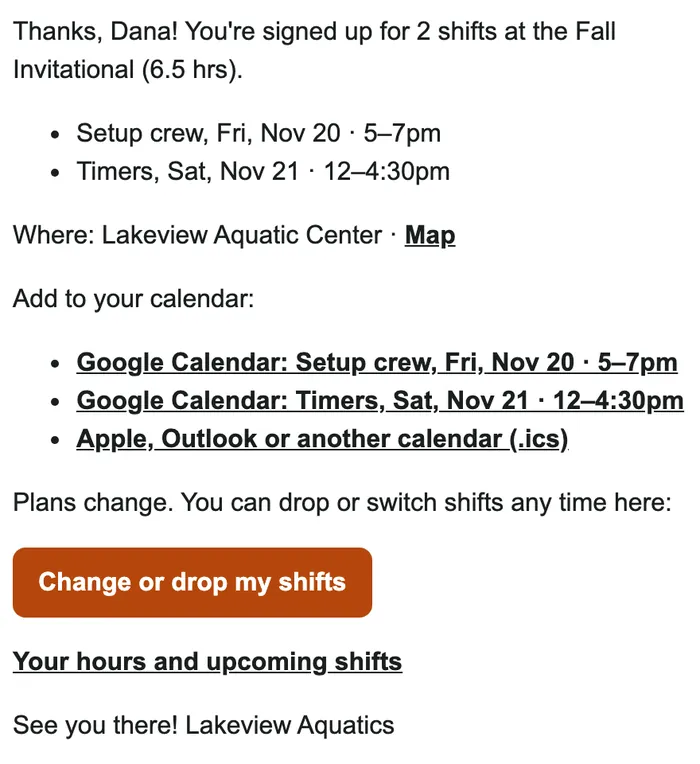
One shift, start to finish.
Everything below goes out on its own. Volunteers working several days get one combined email, not one per shift.
- Sign-upConfirmationShifts, where to go, who to report to, calendar links and the change link.
- 3 days beforeReminderStill on? If not, one tap to drop or switch.
- 1 day beforeReminder with instructionsThe job’s instructions, files and links.
- 2 hours beforeLast reminderTime and place, nothing else.
- AfterHours countedCredited to the volunteer and their family when the shift ends.
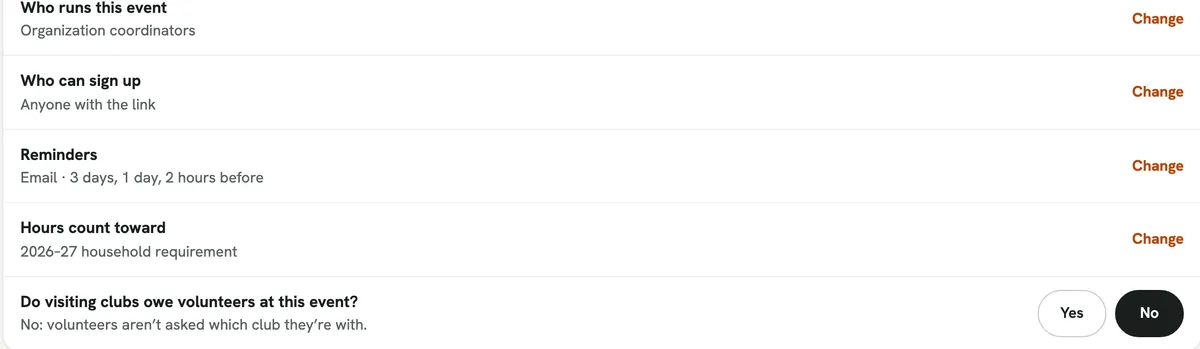
One line per setting. Defaults that already work.
Reminder times are a row of chips on each event: 1 week, 3 days, 1 day, morning of, 2 hours, or your own. Most clubs never change them.
Want your own words? Change the subject, opening and closing of every email volunteers get. OrangeSlice fills in the shifts, links and directions.
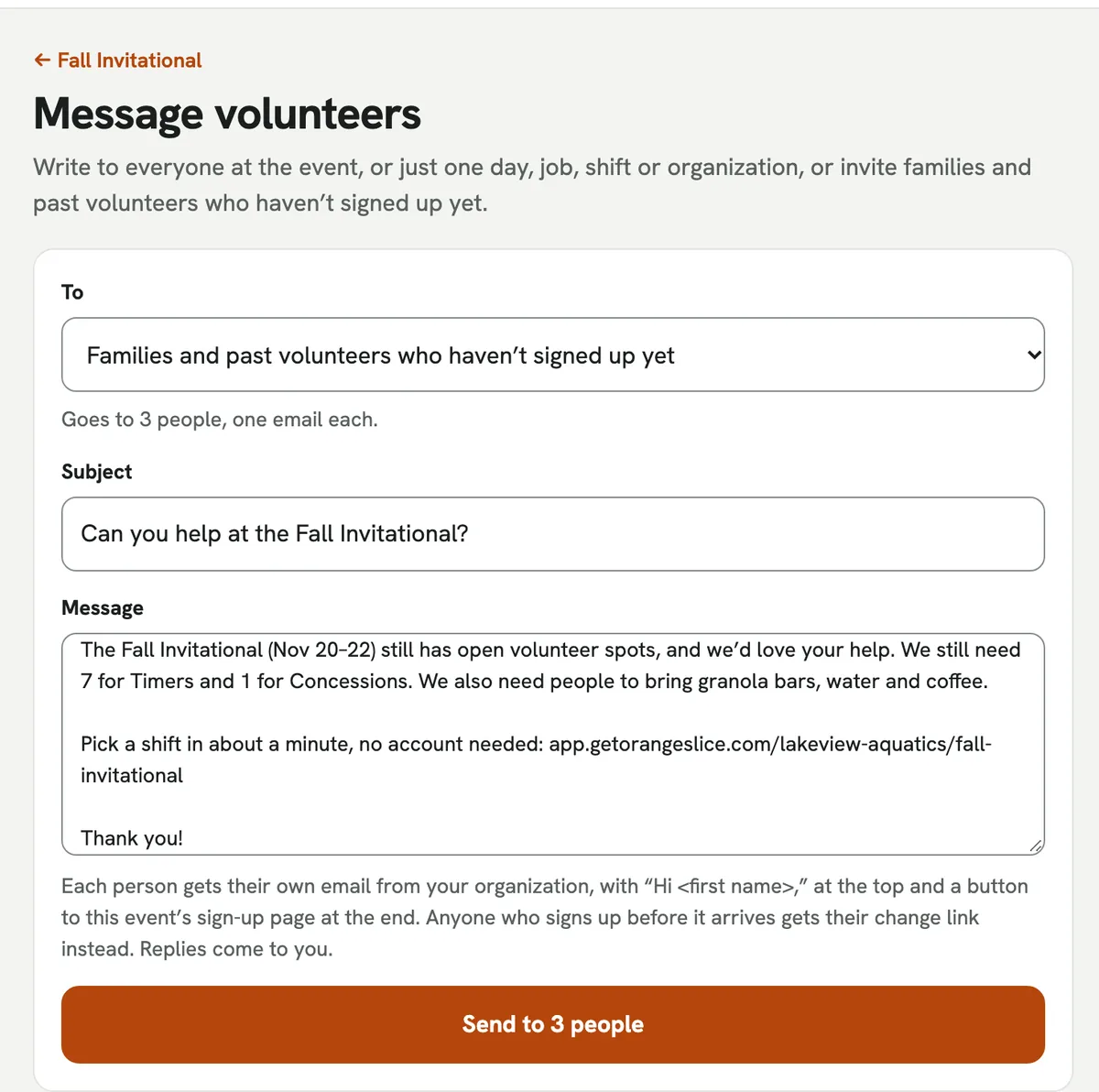
Still short? Ask the families who haven’t signed up.
- Write once; each person gets their own email, starting with their name
- Send to everyone, one day, one job or shift, or a visiting club
- Or invite roster families and past volunteers who haven’t signed up yet
- The button says how many it reaches before you send
Questions clubs ask
Something else? Ask us. A person answers.
When do volunteer reminders go out?
3 days, 1 day and 2 hours before each shift by default. You can pick other times for each event: 1 week, morning of, or a custom time.
What happens when a volunteer drops?
The next person on the waitlist gets the spot and an email. If the drop is close to the shift (48 hours by default), the coordinator and the job’s lead are told, and the volunteer is offered another open shift first.
Who do replies go to?
Emails come from your club’s name and replies go to your club’s admin, or to the job’s lead when every shift in a sign-up has the same lead.
Can I change what the emails say?
Yes. Each email volunteers get has its own subject, opening and closing you can rewrite, with a preview and a test send.
Can I message everyone at an event?
Yes. Write to everyone at the event, one day, job or shift, everyone bringing something, or a visiting club’s volunteers. You can also invite families who haven’t signed up yet.
What if an email can’t be delivered?
OrangeSlice retries for a few hours. Anything that still fails is listed at the top of your Events page with the address and the error, so you can reach the person another way.
Your first event can be live today.
Name it, pick the days, add a few jobs and share one link. OrangeSlice handles the reminders, the waitlist and the hours.