Plan by the job. OrangeSlice cuts the shifts.
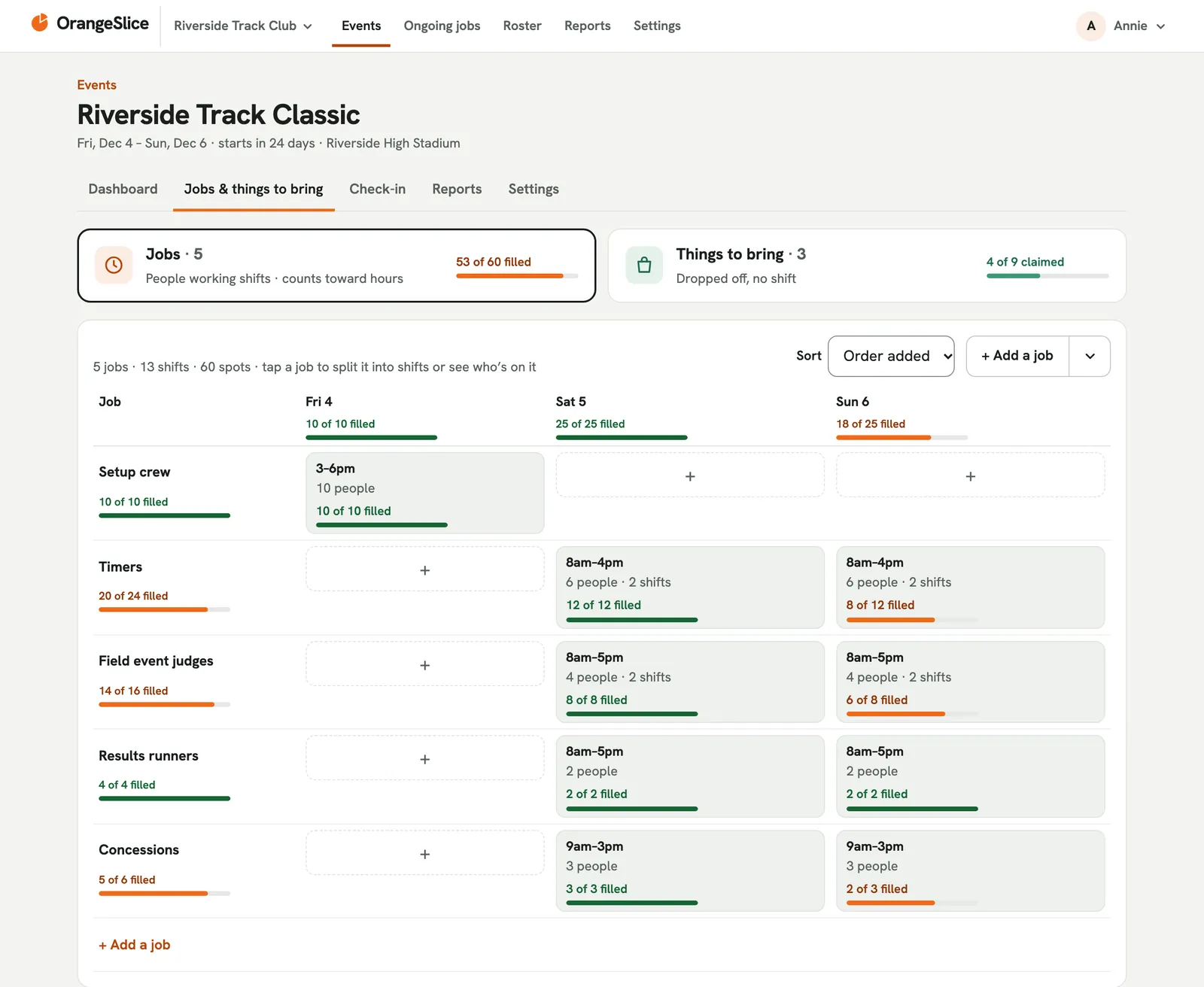
Timers need six people from 8 to 4, in two shifts. Results runners need two all day. Say that, and you get every job on every day, with how full each one is.
Free to start · No credit card · First event live today
Then run it from one dashboard.
It leads with what needs a decision, not with charts.
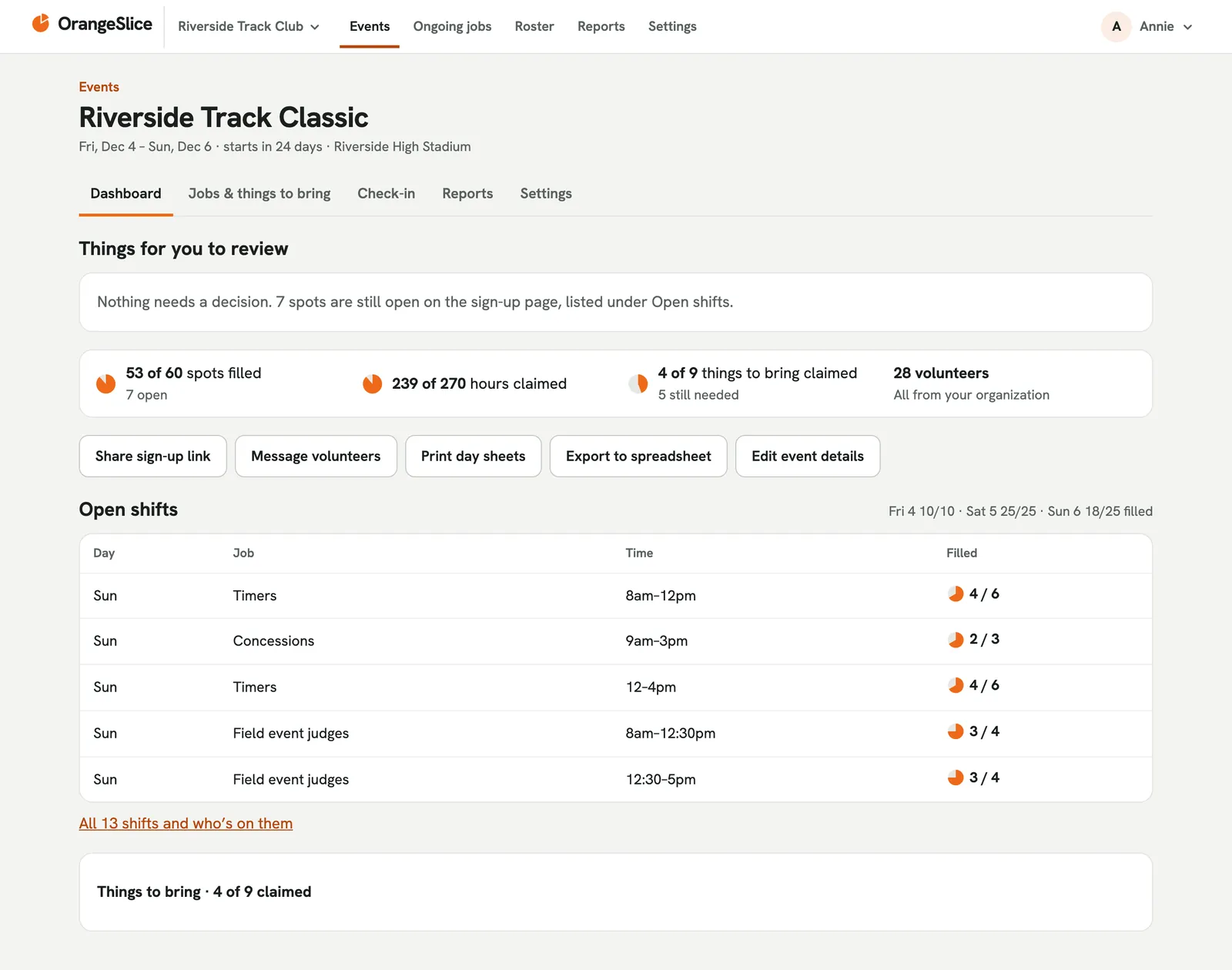
- The event in one lineSpots filled, hours claimed, things to bring and volunteers.
- Everything for the dayShare the link, message volunteers, print day sheets, export to a spreadsheet.
- Open shifts, riskiest firstKnow which shifts to worry about while there’s still time. Short? Invite the families who haven’t signed up, in one email.
One panel for every job.
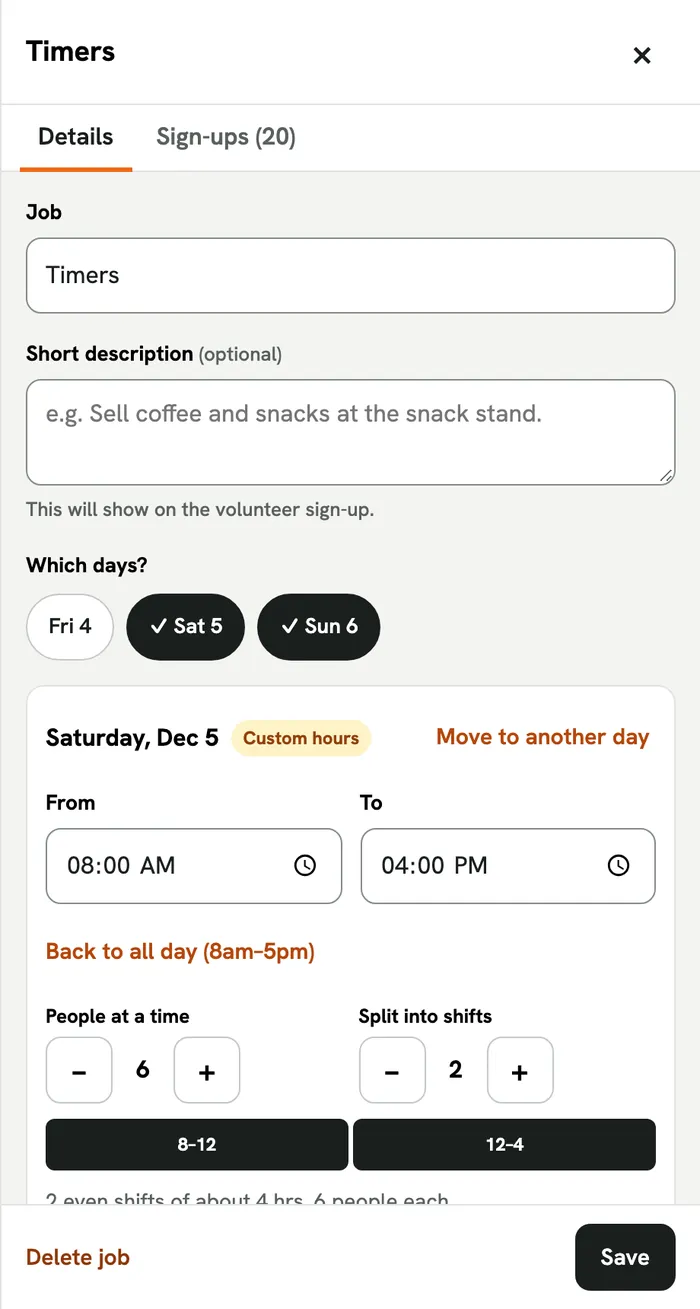
Tap a job to open it. Everything about it is here, and nothing changes for volunteers until you save.
- Pick the days it runs
- Set the hours and people at a time, then split into shifts
- Nudge a handoff, add a break, or put more people on the morning rush
- Add instructions, files and links that go out with every confirmation
- Move a job to another day, and everyone on it moves too
Built for the events clubs actually run.
Next year starts from this year
Running it again? Start from last year’s jobs, shifts and things to bring, then invite last year’s volunteers.
Visiting clubs
When other clubs owe volunteers at your event, each club’s share is tracked and their families sign up on the same page.
Job leads
Put a parent in charge of a job. Volunteers see who to report to, and the lead hears about late drops.
A check for gaps
Ask OrangeSlice to look over the schedule for holes, like timers going home before the last heat.
Private until you publish
Build it as a draft. Nobody sees it until you publish and share one link.
Or start with a sentence
Type the event the way you’d say it and the AI assistant drafts the jobs.
Questions clubs ask
Something else? Ask us. A person answers.
How does OrangeSlice turn a job into shifts?
You give each job its hours for the day and how many people you need at a time, then choose how many shifts. OrangeSlice splits the time evenly, rounded to 15 minutes. You can move handoffs or add a break.
Can some shifts of a job need more people than others?
Yes. Set a different number on each shift, so the morning rush can have five and the afternoon three.
Does it handle events longer than one day?
Yes. Each day has its own hours, and every day sits side by side on the grid. Add a day before or after at any time; the sign-up link never changes.
Can I reuse last year’s event?
Yes. When you start a new event, OrangeSlice suggests last year’s edition, copies its jobs, shifts and things to bring, and can invite last year’s volunteers.
What if I change a shift after people signed up?
OrangeSlice shows who is affected and asks whether to email them. The email says what changed, for example 12–4pm (was 12–3pm).
Can I bring in the spreadsheet we already use?
Yes. The AI assistant reads an .xlsx or .csv sign-up sheet, drafts the jobs and things to bring, and puts the people in it on their shifts.
Your first event can be live today.
Name it, pick the days, add a few jobs and share one link. OrangeSlice handles the reminders, the waitlist and the hours.